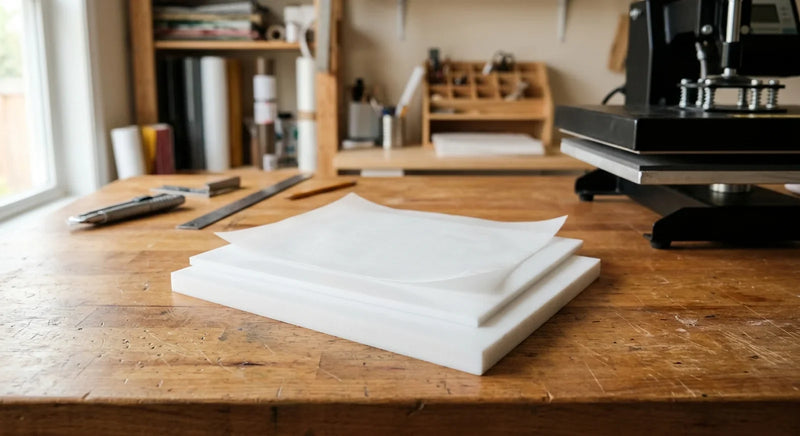
Quick answer: Layer HTV at 305°F using a PTFE cover sheet, full press only on layer one, then 3-5 second tacks on each new layer. That keeps bottom layers from scorching.
I’ve watched more shirts hit the trash because of layered HTV than for any other reason. Two-color, three-color, the occasional four-color stack. And every time the failure looked the same: the bottom layer cracked, glazed over, or shrunk into a wrinkled mess while the top layer sat there looking fine. The fix isn’t a secret. It’s three things working together: a lower temp than you think, a real cover sheet between presses, and short tack times on every layer after the first. Get those right and a layered HTV shirt will outlast a single-layer print every wash cycle.
This guide pulls together the layering rules I’ve tested across 12 oz cotton, 50/50 blends, and stretch poly. The temps and times come from manufacturer application charts, not guesswork. The cover sheet logic is simple thermal physics. By the end you’ll know exactly when to reach for a PTFE cover sheet, how short to make each subsequent press, and which layering mistakes silently kill your transfers. The same logic applies on a single one-off tee or a batch of vinyl craft supplies running through a clamshell on a Saturday.

Why Does the Bottom HTV Layer Burn When You Press the Top Layer?
Each new press re-heats every layer below, and HTV adhesive degrades after 30-40 cumulative seconds at 305°F. Stack two or three full-time presses and the bottom layer is past its useful life before the top is even tacked.
Heat doesn’t care about layer order. When the platen comes down on layer two, it pushes through the vinyl, through the carrier sheet, and straight into layer one. The adhesive on layer one re-melts. The vinyl face re-softens. If your press time is calibrated for a single layer (12-15 seconds), the bottom layer is now sitting at full press temp for double that. The adhesive starts to break down. The face cracks on the first wash.
This is also why “just lower the temp” alone doesn’t save the shirt. Drop the press to 270°F and the top layer never bonds. You end up peeling fresh vinyl off a half-melted base. The fix is keeping temp where the manufacturer specifies, but cutting the duration of every press after the first. Pair that timing with a 500°F-rated reusable cover sheet from the heat press supplies bench and the bottom layer stops eating cumulative damage.
A second factor: pressure. Most layering problems get worse with high pressure because high pressure forces heat deeper into the stack. Medium pressure (around 40-50 psi on a clamshell) gives you bonding without driving heat all the way through. Reviews on layered transfer projects mention this almost universally. People crank pressure thinking it’ll fix poor adhesion, then wonder why the bottom layer wrinkles.
Bottom line: burning is a cumulative-heat problem, not a single-press problem. Treat each layer like it inherits the heat from every previous press, because it does.
What Temperature Should You Use When Layering HTV?
Press layered HTV at 305°F for standard polyurethane vinyl, 295°F for stretch HTV, and 270°F for glitter or foil. Lower temps protect the bottom layer.
The temperatures most people quote (320°F, 330°F) come from single-layer instructions on heavy cotton. Those temps are fine when you press once and walk away. They’re brutal on layer one when you press again ten seconds later. The standard application chart from major HTV manufacturers like Stahls’ lists reduced temperatures specifically for layered designs, typically 10-20°F cooler than the single-layer setting.
Here’s how I break it down by material:
Standard polyurethane HTV (the most common type): 305°F is the sweet spot for layering. The first press goes 12-15 seconds, every subsequent layer gets 3-5 seconds. That keeps the cumulative heat exposure on the bottom layer under 25 seconds total - well inside the safe window.
Stretch HTV (for jerseys, leggings, performance wear): Drop to 295°F. Stretch HTV uses thinner adhesive that re-melts faster. If you press at 305°F with three layers, the bottom layer almost always pulls away from stretchy fabric on the first wash.
Glitter, holographic, and foil HTV: 270-280°F. These specialty films have heat-sensitive face coatings. Above 290°F the glitter dulls and the foil clouds. Always layer these on top of standard vinyl, never underneath.
If you’re pressing on poly blends, drop everything 10°F further. Polyester begins thermal damage above its glass transition temperature near 158°F and visibly scorches above 320°F as documented in the North Carolina State University fiber science overview, and the dye sublimates back through light-colored HTV. I’ve ruined a stack of athletic jerseys learning that lesson.
Do You Need a Cover Sheet Between HTV Layers?
Yes. A PTFE cover sheet between layers is the single biggest variable that decides whether a layered HTV shirt survives 30 washes or cracks in five.
A cover sheet does three things at once. First, it spreads heat across the platen surface instead of letting hot spots build up at a single point of vinyl. Second, it stops the platen from sticking to any exposed adhesive at the edges of an upper layer. Third, it acts as a thermal buffer that lets the top layer bond without driving full platen temp into layer one.
PTFE handles continuous service near 500°F per the DuPont Teflon PTFE properties handbook, lasts 200+ press cycles, and stays flat on the platen. Parchment paper tears after one or two presses. Standard kitchen silicone paper warps at 280°F, which is below the press temp you actually need. That’s why most pros keep their cover sheets in the same drawer as the rest of their reusable nonstick papers.
A few cover sheet rules I’ve stuck to:
- Always cover before the platen makes contact. Lower the press onto the cover sheet, never directly onto exposed vinyl.
- Lift the cover sheet off slowly when checking carrier removal. Quick peels can grab a half-bonded edge and lift the new layer.
- Replace your PTFE sheet when it develops a permanent yellow film or stops releasing cleanly. Most last 200 cycles. Some last longer.
- Never substitute a Teflon-coated baking liner from a kitchen drawer. Those have lower temp ratings and the underside texture leaves an imprint on glossy HTV.
If you’re pressing more than a dozen shirts a week, two PTFE sheets in rotation pays for itself fast. One stays on the platen, the other goes on the design while you set up the next layer. Saves 30 seconds per shirt and keeps both sheets cleaner.

How Long Should You Press Each HTV Layer?
Layer one gets a full 10-15 second press; every layer after that gets a 3-5 second tack. The final press goes the full duration with the cover sheet down.
A “tack press” isn’t the same as a full press. The goal of a tack is just to soften the new layer’s adhesive enough to grip the layer below, not to fully bond it. Full bonding happens on the final press, after every layer is in place. If you full-press every layer, the bottom is exposed to 50-60 seconds of cumulative heat. That’s where scorching starts.
Here’s the time budget I follow for a three-layer design at 305°F:
- Layer 1 (background): 12 seconds full press, peel hot.
- Layer 2 (middle): 4 seconds tack, peel cold.
- Layer 3 (top detail): 4 seconds tack, peel hot or cold per spec.
- Final press over the whole stack: 10-12 seconds with the cover sheet down for full bond.
Total cumulative heat exposure on layer 1: about 26 seconds. That’s inside the 30-40 second safe zone for standard polyurethane HTV.
A few timing rules that aren’t on most application charts but matter:
- Pre-press the garment for 3-5 seconds before any layer. Removes moisture and pre-shrinks the fabric so layer one doesn’t lift on the first wash.
- Wait 10-15 seconds between layers so the previous layer cools below the adhesive softening point. Stacking presses too fast keeps the bottom layer above its scorch threshold continuously.
- Don’t extend the final press to compensate for thin tack times. Two extra seconds on a final 10-second press is fine. Doubling it to 20 seconds will burn the bottom.
If your platen has uneven heat (most clamshell presses do, with the back edge running 10-15°F hotter than the front), rotate the design after the first press. That spreads cumulative exposure evenly across the layered area.
What’s the Right Pressing Order for Multi-Color HTV Designs?
Press the largest, most heat-tolerant layer first and work toward the smallest, most delicate layer on top. Standard polyurethane goes on the bottom, glitter and foil go on top.
Pressing order isn’t aesthetic. It’s a physics decision. The bottom layer takes the most cumulative heat, so it has to be the toughest material in the stack. The top layer takes the least cumulative heat but has to bond cleanly through whatever cover sheet you’re using.
A working order for a four-color design:
- Largest background piece, standard HTV: Goes first. Takes the longest press time. Survives the most reheats.
- Mid-size accent layers, standard HTV: Layer two and three. Tack only.
- Glitter, foil, or holographic detail: Goes on top. Tack press only, 3 seconds maximum, low heat (270°F if your press allows mid-design temp adjustment).
- Fine outline or text, standard or premium HTV: Goes very last. Tack only, then a final cover-sheet press.
Color order matters too. Light colors stay above darker layers when possible. White or cream sitting underneath red or navy will pick up dye bleed through the carrier on the final press. On a black or navy garment, the order also affects opacity - thinner specialty films need a fully-bonded base layer underneath to look saturated.
When the design has a DTF transfer from custom printing instead of cut HTV, the rules shift slightly. DTF transfers handle higher cumulative heat than glitter HTV, so they can sit closer to the bottom of the stack if needed. But the base rule still holds: most heat-tolerant material goes deepest, most delicate material goes on top.
What HTV Layering Mistakes Ruin Shirts the Most?
Five mistakes cause most layered HTV failures, and full-pressing every layer is the worst of them. The other four are skipping the cover sheet, fast peels, high pressure, and hot restacks.
I’ll go through each one and what to do instead.
Pressing every layer at full duration. This is the single most common kill. Full pressing every layer sends total heat exposure on layer one past 50 seconds. The adhesive degrades and the print fails on wash one. Fix: tack every layer after the first, then final press once.
Skipping the cover sheet. Without a PTFE or silicone barrier, the platen contacts exposed adhesive at layer edges and rips a chunk off when you raise the press. Even worse, direct platen contact on a hot top layer will mar the face finish on glossy or matte HTV. Fix: cover sheet every press, including the final one.
Peeling carriers too fast. Some carriers are hot peel, some are cold peel. Mixing them up rips a half-bonded layer off the shirt and leaves a smear. The application sheet that came with your roll specifies which. If you mixed materials, default to cold peel - it’s more forgiving. Reviews on common HTV brands mention this is the failure mode beginners hit most often. The vinyl looks great after layer two, then layer three peels off chunks of layer two when you pull the carrier.
High pressure on stretch fabric. Stretch garments compress under pressure, then rebound when the press lifts. That rebound pulls at the adhesive bond on the bottom layer. Fix: medium pressure (3 on a 1-5 scale, or roughly 40 psi). The vinyl will still bond and the bottom layer won’t shift.
Stacking layers before cooling. If you press layer two while layer one is still above 200°F, the adhesive on layer one is still soft. Pressure on a soft adhesive moves the bottom layer. You’ll see it as alignment drift across a multi-color design - layer one ends up 1-2mm off where you placed it. Fix: 10-15 seconds between layers, or longer on heavy cotton.
A bonus mistake worth a mention: testing a layered design on the wrong fabric. If you tested the design on a 100% cotton tee but the order is for tri-blend, you need to retest. The same press settings will scorch tri-blend. This is the same lesson buried inside the HTV peel-after-washing fix guide, and it shows up across pretty much any craft application - I’ve seen the same pattern in the diamond painting beginner mistakes article where a missed test step ruins the finished piece.

Shop Related Kraft & Kitchen Products
Layered HTV success comes down to having the right cover sheet, the right press surface, and the right pressing tools on hand before you start. Skipping any of those is where most multi-color shirts go sideways. Buyers building production lines get sharper bulk pricing on the same materials.
- PTFE & FEP nonstick material - 500°F-rated cover sheets that protect every layer through 200+ presses
- Bulk Kraft & Kitchen pricing - case-quantity PTFE sheets and platen liners for shops pressing dozens of shirts a day
If you’re new to layered work, start with a 5-mil PTFE sheet and one good base color. Get a clean three-layer shirt working before you stack four. Most of the failures I’ve seen come from rushing the practice runs.
Quick Reference: Layered HTV Press Settings (2026)
Standard polyurethane HTV: 305°F, 12 sec first press, 4 sec tack on each layer after, 10 sec final press with cover sheet, medium pressure, hot or cold peel per carrier spec.
Stretch HTV: 295°F, 10 sec first press, 3 sec tack on each layer after, 8 sec final press, low-medium pressure, cold peel.
Glitter and foil HTV (top layer only): 270-280°F, 3 sec tack only, final press through cover sheet at base material’s temp.
Get those four numbers right and the difference between a shirt that lasts five washes and one that survives a season comes down to one thing: did you use a cover sheet on every press. Use one. Even on the final press through the stack.
What’s the biggest layering issue you’ve hit on a recent run? Burned bottom, peel-back on layer two, or something else? Email joshua@kraftandkitchen.com and we’ll help you troubleshoot.